I play Killer Sudoku, and the app I used had one habit I couldn't stand: finish placing a digit, and it wiped that digit from pencil marks I hadn't got to yet.
So I built my own over three days in August 2026. Every puzzle is generated on the device and proven to have exactly one solution before you see it. There are no ads, no accounts and no network calls, ever. It ships as a native SwiftUI app for the Mac and a Kotlin port for macOS, Windows and Linux that matches it cell for cell.
Why I built it
I wrote one hard rule into the scope before any code: no ads, no in-app purchases, no nags of any kind. The second rule came from that lost-notes moment: your pencil marks are yours, and the app never touches them on its own.
What it looks like
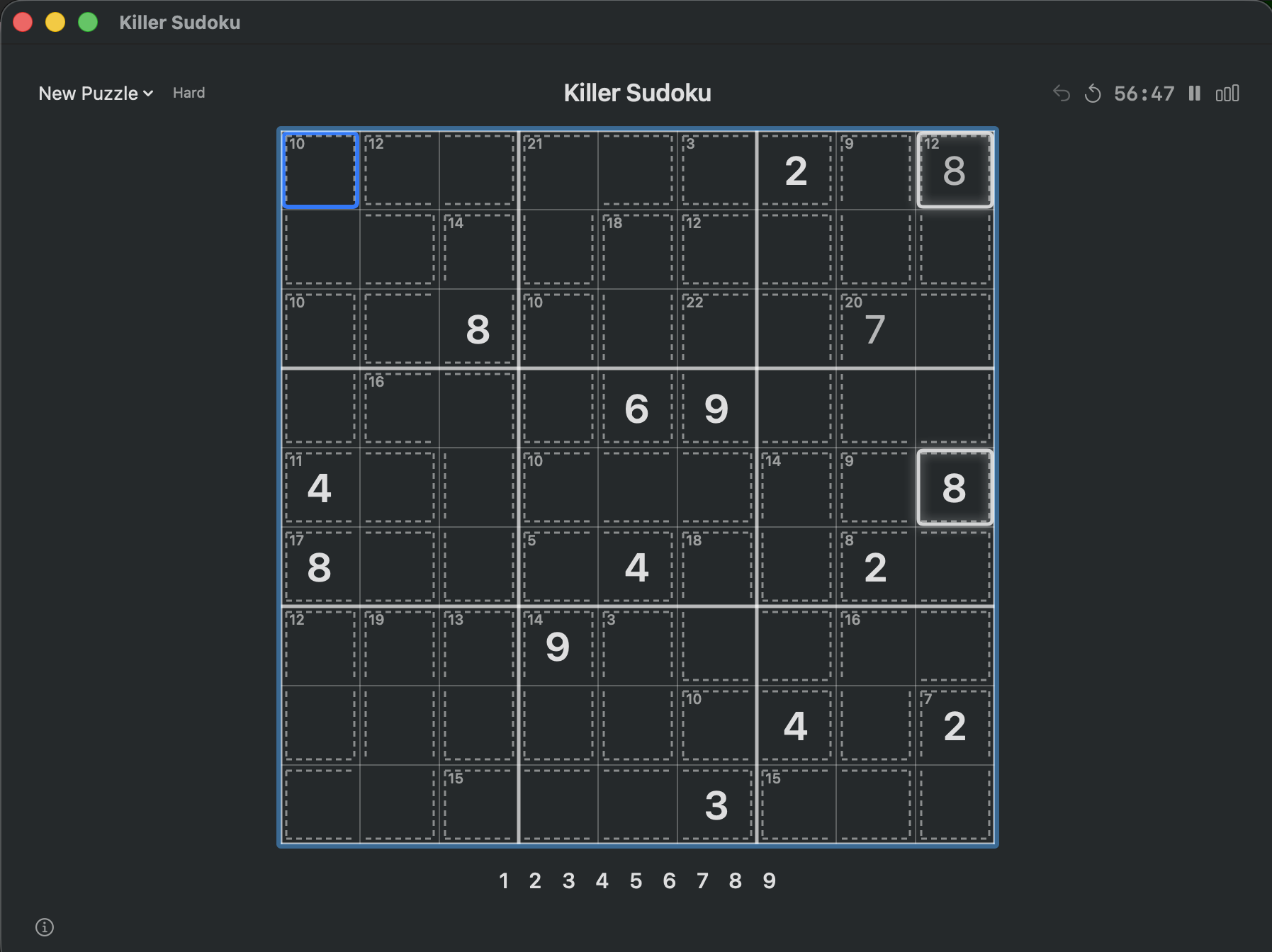
It's ordinary Sudoku with one added rule: every dashed cage must add up to the small number in its corner, with no digit repeated inside it. Play is keyboard-first. Type a digit to fill a cell, Shift and a digit for a pencil mark (drawn as a 3x3 mini-grid, 1 top-left, 9 bottom-right), and Cmd+Z to undo. Progress saves continuously, so you can quit mid-puzzle and come back to the same spot.
- Nothing depends on colour. Cages are dashed outlines and a sum, with no tints, and every state cue (mistakes, selection, completion) uses outline, glow or brightness. It's colour-blind safe by construction.
- A finished digit never clears your notes. The small 1-9 legend dims a digit once all nine are placed, and your pencil marks stay exactly as you left them.
- Highlighting never gives hints. Selecting a digit shows where it already is, never where it should go.
- Four tiers, tracked. Easy, Medium, Hard and Expert, with best time and solve count for each.
How it works
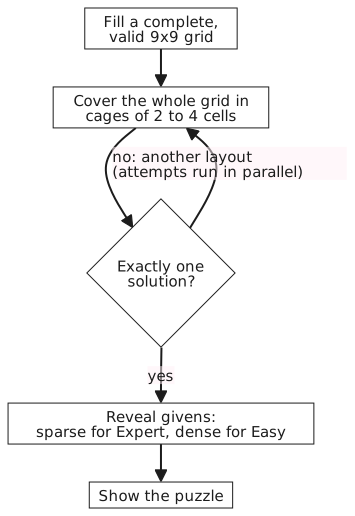
There's no bundled puzzle set. When you ask for a puzzle, the generator fills a valid grid, covers it in cages of two to four cells, and a solver checks that exactly one solution exists. If it doesn't, another layout is tried. Only then are the givens revealed: 25 to 40 on Easy, down to 4 to 8 on Expert.
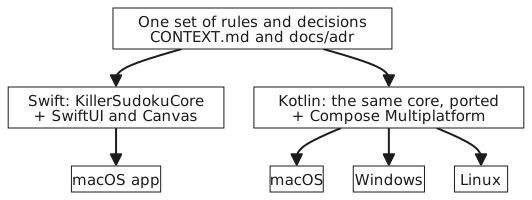
The Mac app is SwiftUI with a Canvas-drawn board. The Kotlin port uses Compose Multiplatform with its own renderer so it looks the same as the Swift build. Both follow the same 14 written design decisions, ported rather than reinvented, and each has its own test suite.
The hard calls
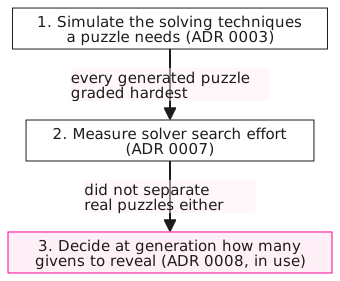
Difficulty took three tries. First I simulated the solving techniques a puzzle needs, then I measured how hard the solver had to search. Neither separated real generated puzzles: the first graded every one of them hardest. What shipped is simple and predictable. Difficulty is decided at generation time by how many digits are revealed.
Speed: profile, then parallelize, then check the build. New puzzles took 10 to 38 seconds. Profiling showed why: 85 to 95% of random cage layouts don't have a unique solution, and each failure still costs a full search. Lowering the search budget made it worse, so instead I ran whole batches of attempts across every CPU core and took the first winner. That cut it to 2 to 4 seconds.
Next I considered rewriting the solver in C++. Before that, I checked what I'd actually been measuring: every number so far came from an unoptimized debug build. The same code in release averaged about 1 second, with 23 of 24 runs under 3 seconds. Not one line of the solver changed. The run script now builds release by default.
Where it stands
It runs on my Mac today. The Swift build has 102 automated tests in 14 suites, all passing, and the Kotlin port has 41 more. The project took 46 commits over three days, with the Kotlin port built on the third, and the trade-offs are written down as 14 decision records.
It's distributed locally, not through an app store. To run it on a Mac with Swift 6, clone the repo and run ./scripts/run-app.sh; on any OS with JDK 17 or later, cd desktop-kotlin && ./gradlew run. The decision records explain why it works the way it does.